Public Key Generated
I have generated a key via GPG; this, in short, means I can now sign and encrypt stuff. The key is hosted on the OpenPGP keyserver, and its fingerprint is D53B7C199620E19314387D004E23E7D1BE44FB14.
I will be using this key to sign my GitHub commits and any files I release.
How To Import
via command line
gpg --recv-keys D53B7C199620E19314387D004E23E7D1BE44FB14 --keyserver hkps://keys.openpgp.orgvia Kleopatra
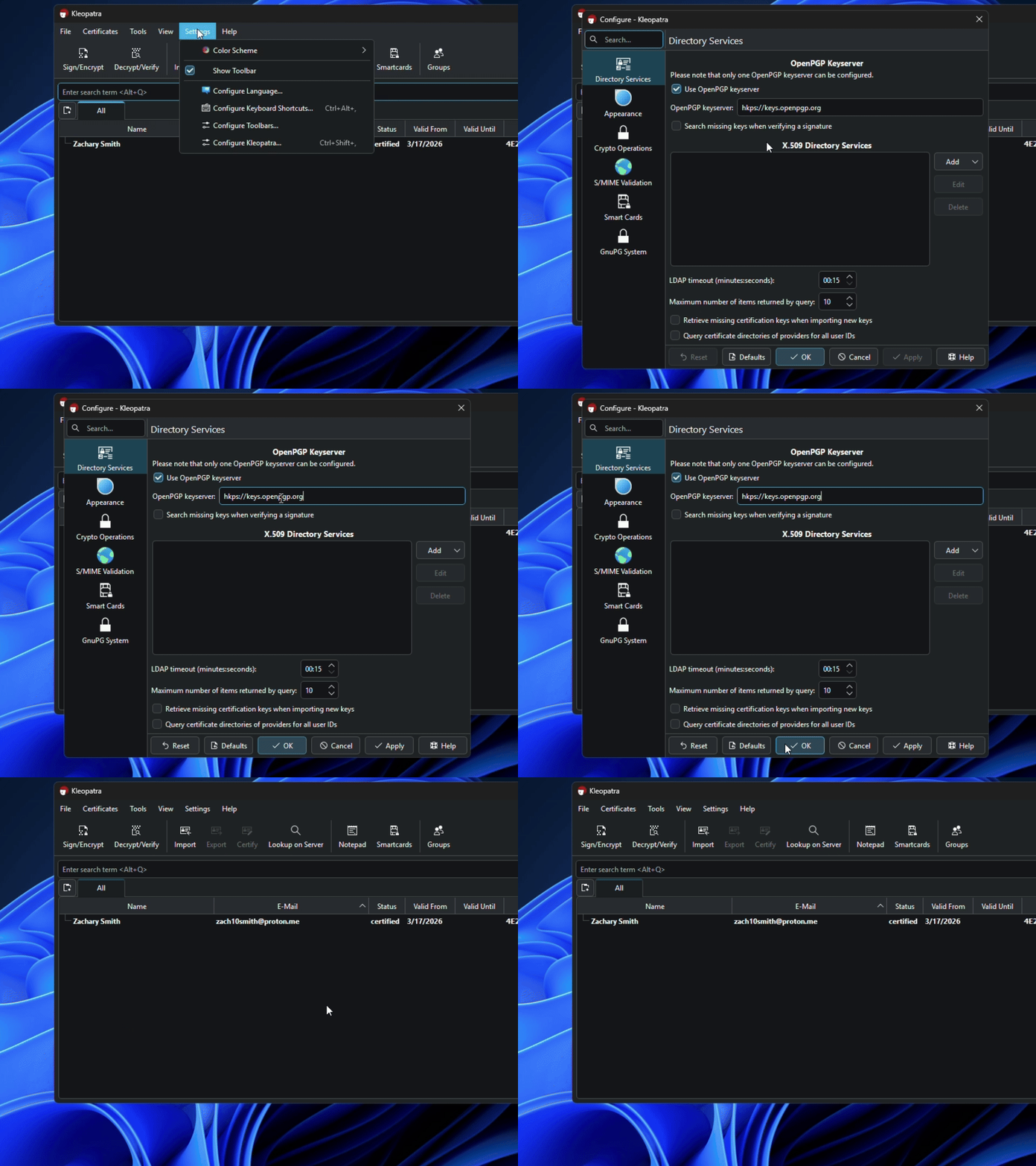
Set your keyserver to hkps://keys.openpgp.org via Configure Kleopatra:
Next, lookup zach10smith@proton.me (my development email) on the server, and select the one with the name on it that comes from the keyserver (not WKD). This should start with D53B 7C19 9620 E193 1438:
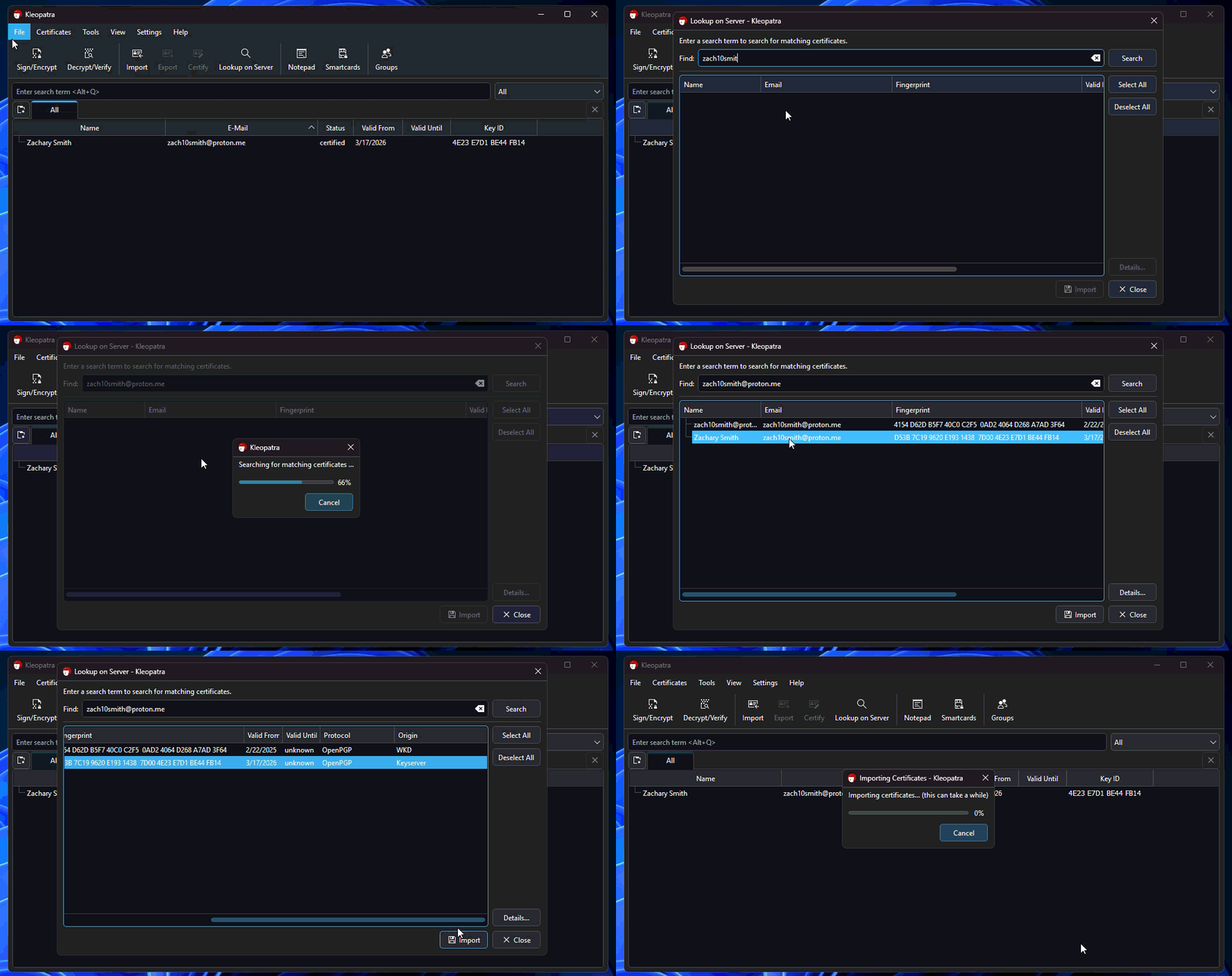
Finally, import the key.
Closing
You should be all set now. You can now verify signatures on stuff I provide (like files).
With Kleopatra, you should just be able to download the signature file, put it in the same directory as the file, and double click the signature file to verify.
With GPG, run:
gpg --verify {signature}Replacing {signature} with the signature file.